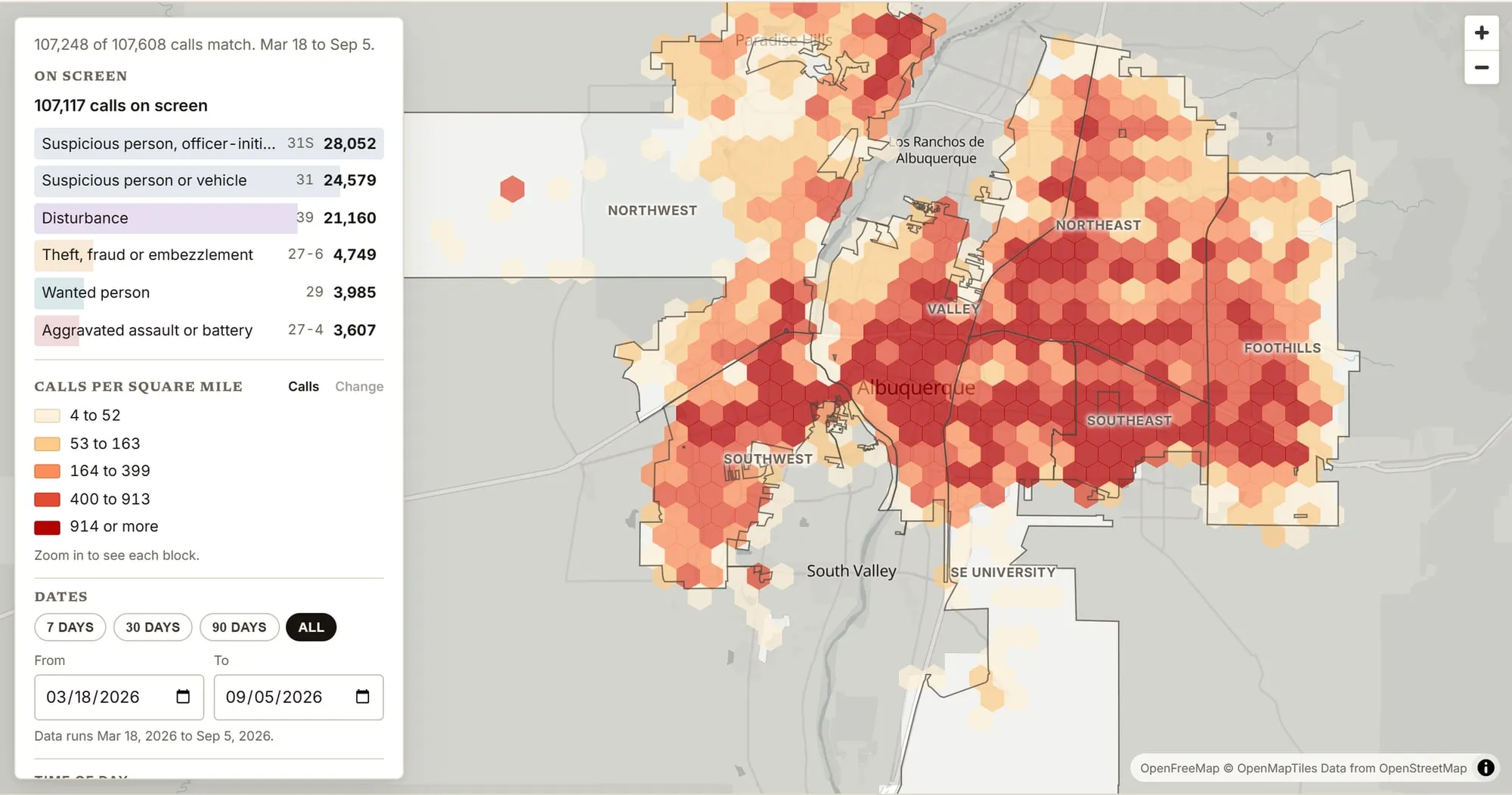
The Ledger’s police calls map reads the city’s public calls-for-service feed and puts each call the city gives a location for where the city places it, almost always a block or an intersection. It covers about the last six months, and it updates each time the site is rebuilt.

1. Zoomed out, darker hexagons mean more calls

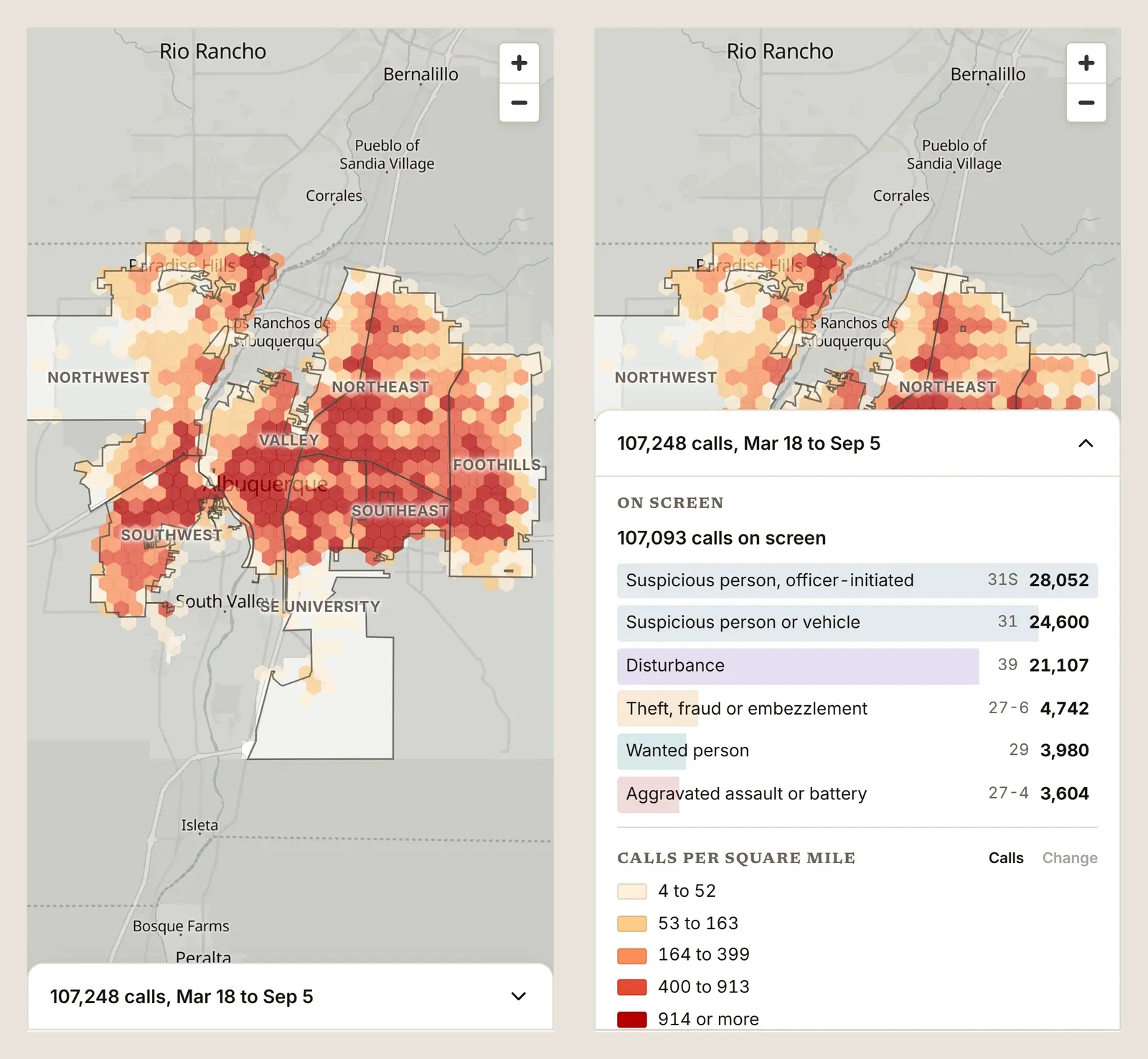
The map opens on the whole city, cut into hexagons of equal size.
- Each shade is a range of calls per square mile. The key in the panel lists the ranges.
- Equal size keeps the comparison fair. In a raw count, a big quiet area and a small busy one can look the same.
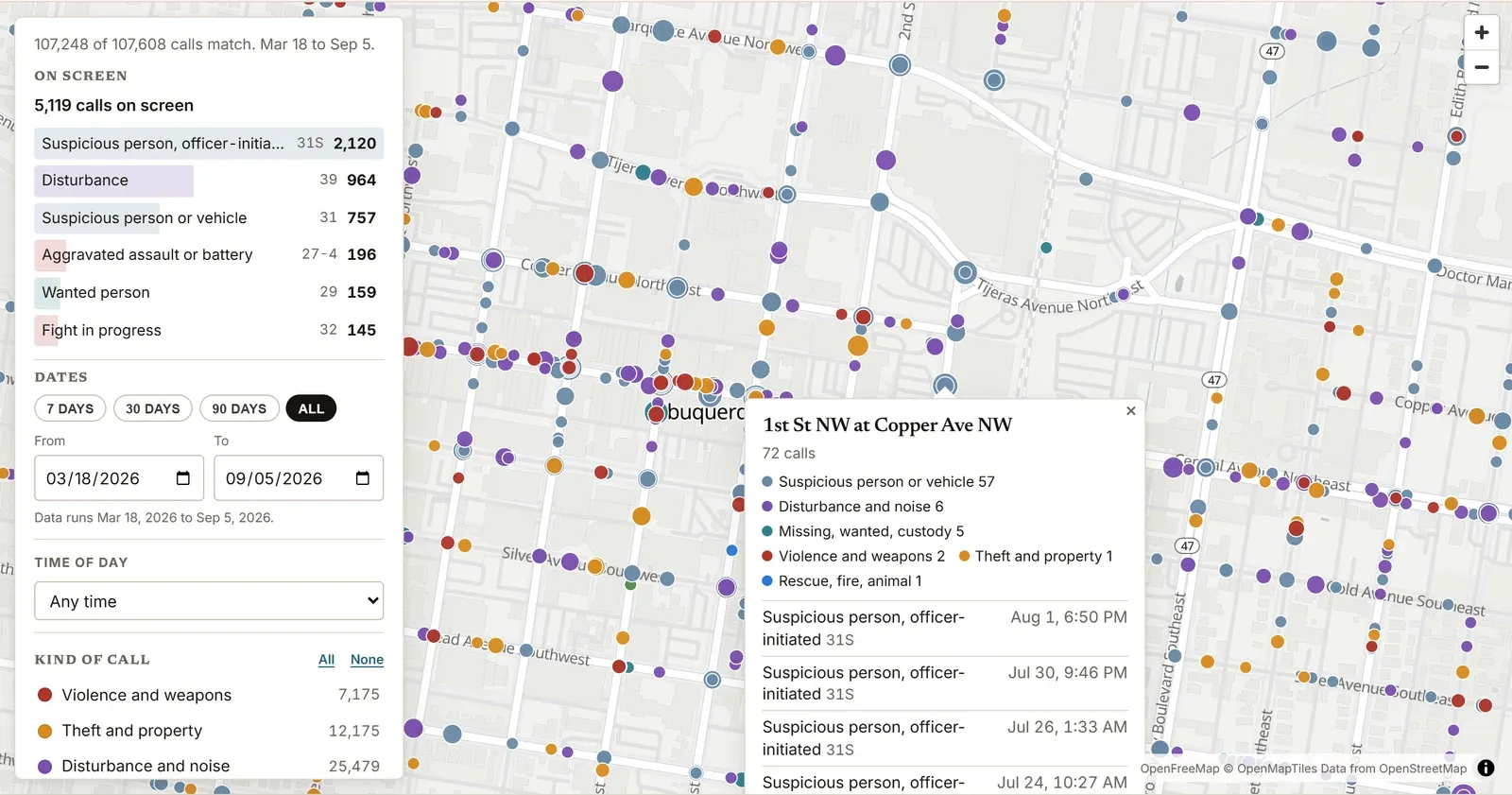
- Zoom in and the shading fades into dots. Each dot is a point where the city places calls, and bigger dots have more.
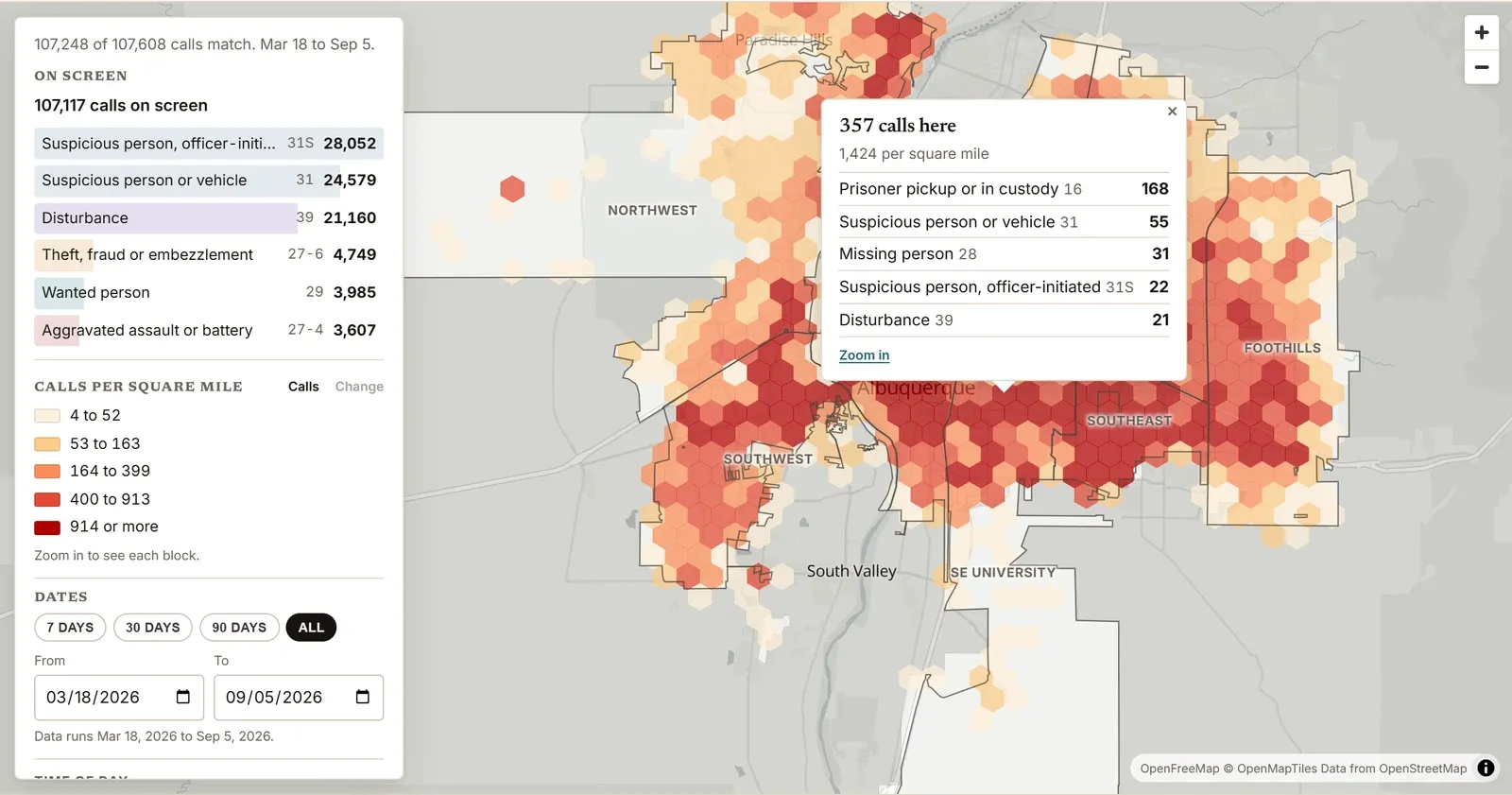
2. Click a hexagon or a dot to see its calls
- A hexagon shows how many calls it holds, its calls per square mile and its most common kinds of call.
- A dot shows how many calls landed there and a count for each group of calls, then its newest calls with the date, time and kind of each.
3. The panel narrows the map, and every count follows
- Dates: 7 days, 30 days, 90 days or All, or your own start and end.
- Time of day: overnight (10 p.m. to 6 a.m.), daytime (6 a.m. to 4 p.m.) or evening (4 p.m. to 10 p.m.).
- Kind of call: turn groups such as theft and property on or off, or pick one dispatch code.
- Block or street: type a street or a block, such as 900 block San Pedro.

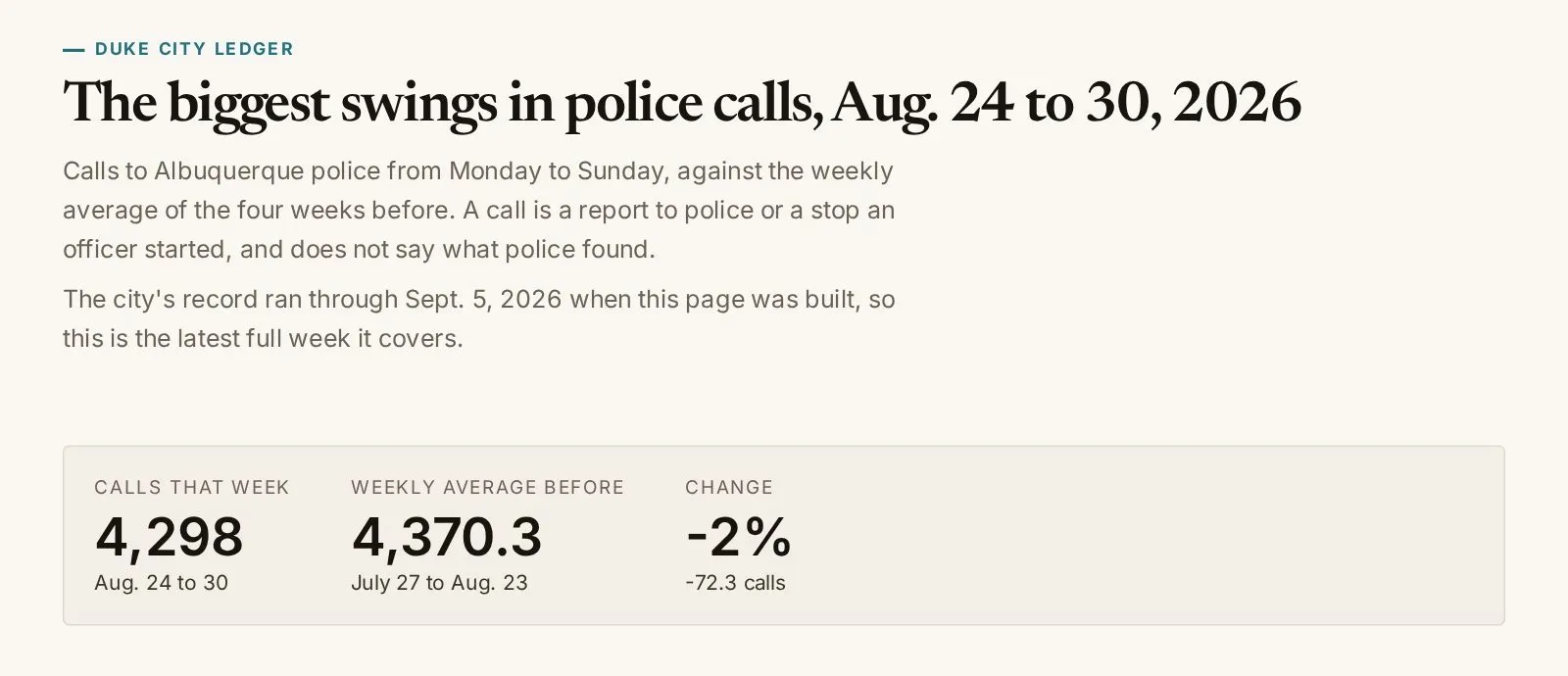
4. The Change button shows where calls went up or down
Pick 7 days, 30 days or 90 days, or your own dates. Then switch the key from Calls to Change.
- Each hexagon compares calls a day in your dates with the days just before them, up to the same number. The map only reaches back so far, so a long window gets fewer days to compare, and the key says how many.
- Blue is fewer calls and red is more, from “Down more than 50%” to “Up 50% or more”.
- Grey means too few calls to compare.
- Change switches off when too few days come before your dates, as with All. Pick a shorter window.
5. Open Show to draw the boundaries you know

Open Show in the panel to pick which outlines the map draws.
- 7 APD commands: APD’s area commands, on when the map opens.
- 12 planning areas: the city’s community planning areas.
- 144 neighborhoods: the city’s neighborhood associations. They leave gaps, so many calls fall outside every one.
- Shading and Area names have their own switches.
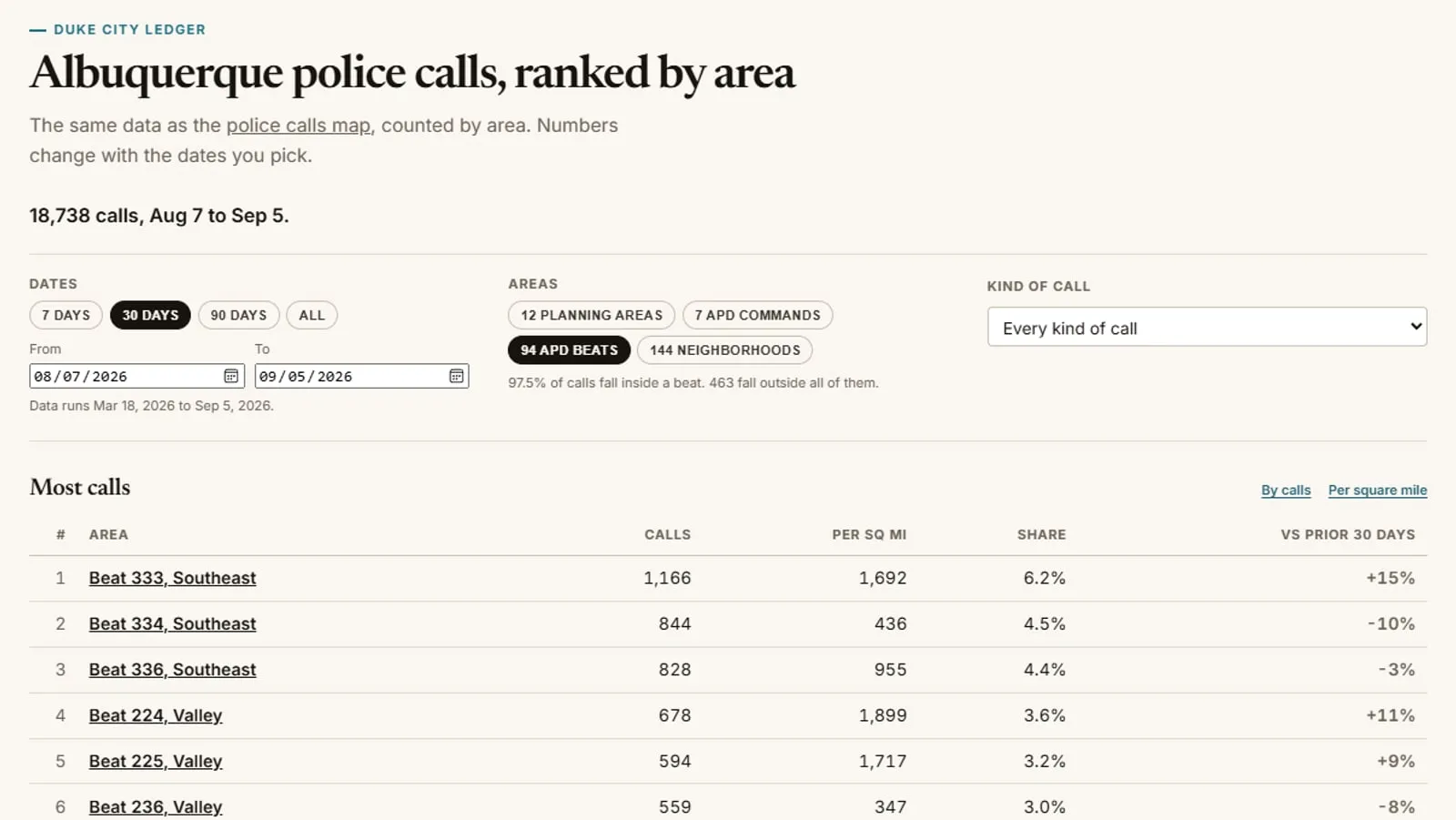
6. The rankings page ranks each area and links back to the map

The police call rankings page counts the same calls inside each area and ranks them by calls or by calls per square mile. Choose APD commands, planning areas or neighborhoods at the top.
Click an area’s name and the map opens with that area outlined.
A link keeps your view, and the map works on a phone
- Every setting is saved in the page’s link. Copy it, and whoever opens it sees the same view.
- On a phone, the panel sits at the bottom of the screen. Tap its bar to open it.
What the map can’t tell you
- A call is a report, not a crime. The feed doesn’t say what officers found or whether anyone was arrested. It almost always gives a block or an intersection, not an address.
- The feed runs behind. In mid-September its newest calls were about a week old, so the map’s dates stop several days before the day you look.
- Many calls carry four codes the Ledger reads as calls officers started, most of them 31S, onsite suspicious. The map labels most of them officer-initiated. That reading is the Ledger’s, not the city’s.
- Two of the busiest blocks hold public buildings. In mid-September, the 400 block of Roma Avenue NW had the most calls of any block, split over more than one dot. APD lists its address as 400 Roma NW. Second was the 400 block of Lomas Boulevard NW, where the Metropolitan Court sits at 401 Lomas Blvd. NW. The feed doesn’t say whether those calls began inside the buildings.
Found something on your block you want the Ledger to look into? Send a tip.
Reader comments
What do you think?
Burqueños know this city best. Add what you've seen, ask a question, or push back on the story.
Loading comments…
New here? Sign up with your email. Confirm it and you're in, no password.
Comments are closed on this story.
Comments are the commenter's own words, not the Ledger's. Comment rules